
Vibe coding starter kit
For those of us not in the habit of imagining software-shaped solutions

Of all the applications of AI that I encourage people to experiment with, I find vibe coding (creating software using natural language) to be the one that people are most reluctant to get hands-on with and (once I have dragged the horse to water) most unsure what to do with.
The reluctance to give vibe coding a go is often driven by a worry that it will require more technical knowledge than advertised, which strikes me as entirely reasonable. Most of us have had the experience of someone with more technical knowledge than us positioning something as easy, which then turned out to be anything but. A fear of breaking something is also a common deterrent, especially amongst older generations who didn’t grow up clicking and tapping devices with abandon just to see what happened.
The uncertainty about what to create seems to be rooted in the fact that most of us, outside of the software development community, simply aren’t in the habit of imagining software-shaped solutions to problems.
Until recently, if an existing piece of software didn’t meet your needs then your options, as a non-software developer, were to contact the developers requesting changes or search for an alternative piece of software that might be a better fit. If you thought of an idea for a piece of software that didn’t already exist then your only options were to engage a team of designers and developers or painstakingly learn those skills yourself. It’s unsurprising we’re not in the habit of imagining software-shaped solutions when all the routes to realising those solutions have been expensive and/or time-consuming.
The advent of vibe coding and the dramatic advances in agentic coding tools over the past 9 months mean that we non-developers can now afford to start imagining software-shaped solutions, as the barriers to realising those solutions have fallen to the time it takes to write a prompt and the cost of a monthly subscription to Claude or Gemini (although you can achieve a fair amount on the free tiers).
I’ve written previously about creating simple games, image editing tools, an Alt text generator, a conversation analyser, an Ofsted results dashboard, a LinkedIn post checker and I’m going to be sharing more software I’ve vibe coded over the coming weeks. But first, I’d like to help you get started (if you haven’t already).
To that end, I’ve vibe coded a simple webpage with a bunch of ideas for simple tools and corresponding prompts you can copy and paste into Claude (there are lots of vibe coding tools available but Claude’s a great place to start, not least because it can wrap your vibe coded app up as an ‘artifact’ which you can publish and then easily bookmark in your web browser and share with friends and family1).
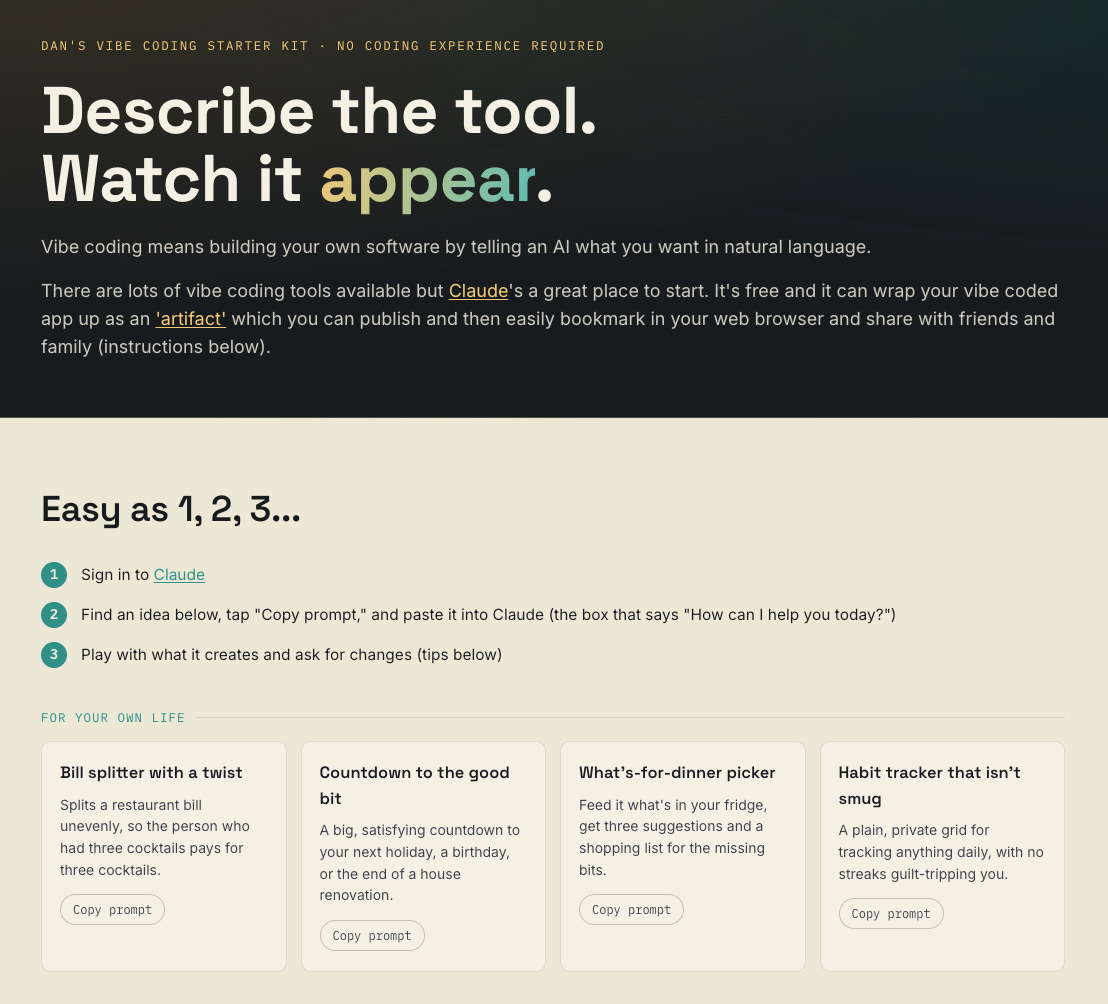
It’s best to start simple, with tools which do a single thing and which don’t require persistent data storage (a Claude artifact won’t remember what you’ve entered into it if you close and reopen it).
Whilst it’s possible to vibe code more ambitious software, I would always recommend engaging professional software developers for anything business critical or public facing.
My guidance for when vibe coding’s an appropriate route:
It’s for you or a small internal group
You can verify the output
It’s not dealing with sensitive data
It doesn’t matter if it breaks
I’ve gone against my own guidance by making some of my vibe coding experiments publicly available and now get emails from schools asking when my Ofsted dashboard is next going to be updated (I’ve committed to monthly).
I’m interested in my readership’s experience of vibe coding. Here’s a quick poll:
If you've never tried it, I'm curious why. Same if you've tried it and been disappointed - comment form below.
If you've found this post helpful, a like or a share goes a long way. Online publishing in the age of the algorithm can often feel like shouting into the void. The occasional echo makes the void feel a little less empty.
Related posts:


To share a Claude artifact, click the down arrow next to the word ‘Copy’ in the top right-hand corner of the screen, and select ‘Publish artifact’ then ‘Publish and copy link’ then ‘Copy link’. You can then paste that link into an email or into a web browser, where you can save it as a bookmark.
“If you've never tried it, I'm curious why”
Probably because I spend too much time reading interesting stuff on Substack, and not enough following up on the ideas that gives me :-)